Table of Contents
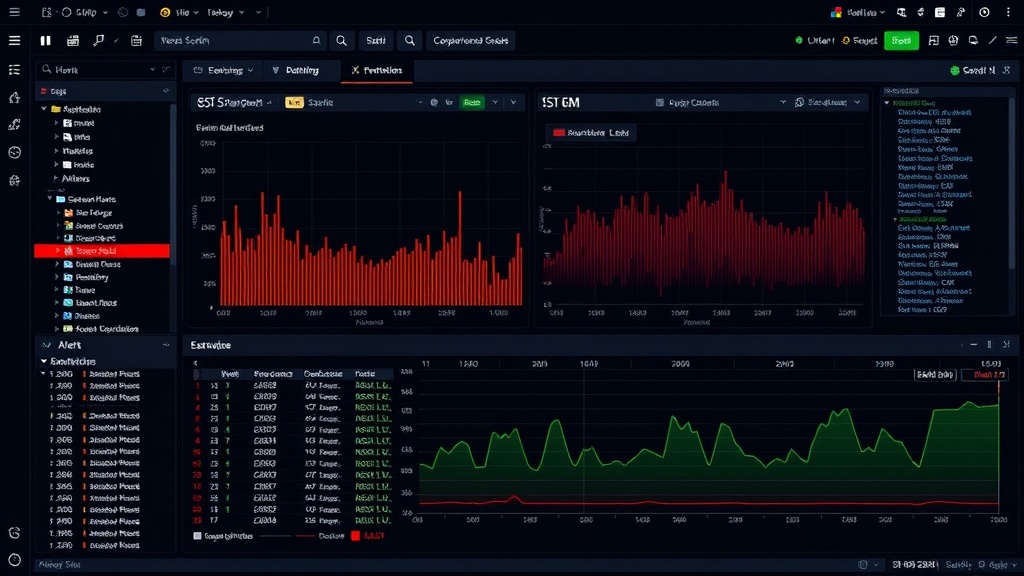
A SIEM (Security Information and Event Management) sits at the heart of every modern cybersecurity operation. It collects, normalizes, and correlates security events from across an organization’s entire technology infrastructure, surfacing threats that would be impossible to spot by analyzing each system in isolation. According to Gartner, 72 percent of organizations with over 500 employees use some form of SIEM, and adoption is clearly trending upward among mid-sized companies as well.
Key Takeaways
- A SIEM collects, normalizes, and correlates security events across your entire infrastructure to detect threats
- Leading solutions: Splunk, Microsoft Sentinel, IBM QRadar, Elastic Security, and Google Chronicle
- Costs for a mid-sized company range from EUR 30,000 to 200,000 per year depending on the solution
- Viable open source alternatives: Wazuh (SIEM+EDR), Elastic Security (Basic), and OSSIM
- Continuous rule tuning is critical: without it, alert fatigue renders the tool useless
What Is a SIEM and What Is It Used For?
SIEM stands for Security Information and Event Management. The term was coined by Gartner in 2005 to describe the convergence of two product categories that had previously existed separately:
- SIM (Security Information Management): focused on collecting, storing, and analyzing logs for compliance and auditing purposes.
- SEM (Security Event Management): centered on real-time monitoring of security events, correlation, and alert generation.
A modern SIEM combines both functions and adds advanced capabilities such as behavior analytics (UEBA), integrated threat intelligence, response automation, and increasingly, artificial intelligence for anomaly detection.
In simple terms, a SIEM does three fundamental things:
- Collects data from across your infrastructure: servers, workstations, firewalls, applications, cloud services, databases, authentication systems, and any other relevant source.
- Analyzes and correlates that data in real time, applying detection rules to identify patterns that indicate a threat.
- Generates alerts when it detects suspicious activity, giving the security team the information they need to investigate and respond.
How Does a SIEM Work?
A SIEM’s operation can be broken down into several interconnected phases.
Log Collection (Data Collection)
The first step is data ingestion. A SIEM needs to receive logs and events from every relevant source across the organization:
- Network infrastructure: firewalls (Palo Alto, Fortinet, Check Point), web proxies, load balancers, switches, routers, IDS/IPS systems.
- Servers and endpoints: Windows Event Logs, Linux syslog, macOS logs, EDR events.
- Applications: web application logs, email servers, databases, business applications.
- Identity and access: Active Directory, Azure AD/Entra ID, LDAP, multi-factor authentication systems, VPN.
- Cloud services: AWS CloudTrail, Azure Activity Log, Google Cloud Audit Logs, SaaS logs (Microsoft 365, Google Workspace, Salesforce).
- Perimeter security: WAF, antispam solutions, sandboxes.
Ingestion is handled through different mechanisms: agents installed on endpoints, syslog forwarding, integration APIs, native connectors, and standard protocols such as CEF (Common Event Format) or LEEF (Log Event Extended Format).
Data volume is a critical factor. A mid-sized organization can easily generate between 5 and 20 GB of logs per day. Large organizations exceed 100 GB daily. This volume has direct implications for SIEM cost and performance.
Normalization and Enrichment (Parsing)
Logs arrive at the SIEM in widely varying formats: every vendor and every application generates logs with its own structure. The SIEM must normalize all this data into a common format so it can be analyzed together.
This process includes:
- Parsing: extracting relevant fields from each event (source IP, destination IP, user, action, timestamp, etc.).
- Normalization: mapping fields to a common taxonomy. For example, a firewall’s “src_ip” field and Windows’ “SourceAddress” field are mapped to the same normalized field.
- Enrichment: adding external context to events. For example, geolocating an IP address, resolving a hostname, querying a reputation database, or associating a user with their department and role.
Correlation and Detection (Analytics)
Correlation is the heart of the SIEM. This is where individual events, which on their own may appear harmless, are combined to reveal attack patterns.
Types of correlation:
- Rule-based: the most traditional approach. Rules define conditions that, when met, trigger an alert. Example: “If a user fails authentication more than 5 times in 10 minutes from an external IP and then successfully logs in, generate a possible successful brute force alert.”
- Statistical: detects deviations from a baseline. Example: “If a host’s DNS traffic volume exceeds its historical average by more than 3 standard deviations, alert for possible DNS tunneling exfiltration.”
- Threat-based: correlates events with indicators of compromise (IoCs) from threat intelligence feeds. Example: “If a host communicates with an IP on the Cobalt Strike C2 server list, generate a critical alert.”
- UEBA (User and Entity Behavior Analytics): analyzes user and entity behavior to detect anomalies. Example: “User jgarcia normally logs in from Madrid during business hours. Today they logged in from Russia at 3:00 AM. Anomalous behavior alert.”
Correlation rules are organized into use cases that ideally map to the MITRE ATT&CK framework to ensure systematic coverage of known attack techniques.
Alerts and Dashboards (Visualization)
When correlation identifies a potential threat, the SIEM generates an alert that is presented to SOC analysts through:
- Alert console: a prioritized list of alerts with contextual information (severity, source, description, related events).
- Dashboards: visual panels showing real-time security status, trends, metrics, and KPIs.
- Notifications: email, integration with ticketing systems, messaging (Slack, Teams), SOAR integration.
The quality of rule tuning determines the SIEM’s practical usefulness. A poorly configured SIEM generates hundreds of daily alerts, most of them false positives, causing analyst fatigue. A well-tuned SIEM generates actionable, prioritized alerts.
Storage and Retention
The SIEM stores logs for a configurable period that depends on regulatory and operational requirements:
- Operational requirements: typically 30 to 90 days of hot data (fast search).
- Regulatory requirements: the ENS requires audit log retention for 5 years at the high level. NIS2 and DORA also impose retention requirements. GDPR limits personal data retention to the strictly necessary period.
- Cold storage: data that exceeds the operational period is archived in cheaper storage with longer access times.
Storage cost is one of the most significant factors in total SIEM ownership cost, especially with licensing models based on ingestion volume.
What Are the Leading SIEM Solutions on the Market?
The SIEM market is competitive and diverse. These are the main options in 2026:
Splunk Enterprise Security
Splunk is the most widely recognized SIEM solution on the market. Acquired by Cisco in 2024, it stands out for its powerful search language (SPL), its flexibility in ingesting any type of data, and its extensive ecosystem of applications and integrations.
Strengths: powerful search and analytics, mature ecosystem, large community, ability to handle massive data volumes. Limitations: high cost (especially with ingestion-volume licensing models), SPL learning curve, complex administration in large deployments. Licensing model: by ingested data volume (GB/day) or by entities (workload pricing). Typical prices range from EUR 50 to 150 per GB/day ingested.
Microsoft Sentinel
Sentinel is Microsoft’s cloud-native SIEM solution, integrated into the Azure ecosystem. Its adoption has grown enormously thanks to native integration with Microsoft 365, Azure AD, and Defender.
Strengths: native integration with the Microsoft ecosystem, pay-as-you-go pricing model, strong automation capabilities with Logic Apps, continuous updates without infrastructure management. Limitations: Azure ecosystem dependency, KQL learning curve, costs can scale quickly if ingestion volume is not controlled, less flexibility for non-Microsoft sources. Licensing model: pay-per-use based on GB ingested into Log Analytics. Typical cost is EUR 2.5 to 5 per GB/day, but can be significantly reduced with volume commitments.
IBM QRadar
QRadar is one of the most established and respected SIEM solutions on the market, with a particularly strong presence in the financial sector and large enterprises.
Strengths: powerful out-of-the-box correlation, solid network flow management (NetFlow), Watson for Cyber Security integration (AI capabilities), strong compliance capabilities. Limitations: interface that has not kept pace with the market, complex administration, hardware dependency in on-premise deployments. IBM has announced a transition to QRadar Suite (cloud-native), creating uncertainty among the installed base. Licensing model: by events per second (EPS) and flows per minute (FPM). Typical cost for a mid-sized company ranges from EUR 30,000 to 100,000 per year.
Elastic Security
Built on the Elastic Stack (Elasticsearch, Logstash, Kibana), Elastic Security has evolved from a log analytics tool into a full SIEM solution with detection, response, and threat hunting capabilities.
Strengths: open source core (Elastic license), exceptional scalability, powerful search across large data volumes, active community, detection rules aligned with MITRE ATT&CK, unified agent that integrates SIEM and EDR. Limitations: requires significant technical expertise to deploy and operate, the more advanced SIEM capabilities require a paid license (Platinum or Enterprise), not plug-and-play. Licensing model: free license (basic) with limited SIEM features. Platinum and Enterprise licenses for advanced features: between EUR 20,000 and 80,000 per year for a mid-sized company, or Elastic Cloud with pay-per-use.
Google Chronicle (SecOps)
Chronicle, Google Cloud’s security solution, stands out for its massive-scale analytics capability, storing a full year of security data at a fixed cost without penalizing for ingestion volume.
Strengths: fixed-cost storage (no volume penalties), petabyte-scale search speed, integration with Mandiant/Google threat intelligence ecosystem, predictable pricing model. Limitations: smaller native integration ecosystem compared to Splunk or Sentinel, requires Google Cloud presence, relative product maturity, smaller presence in the European market. Licensing model: fixed price per employee, regardless of data volume. This is a significant differentiator for organizations with high log volumes.
Open Source or Commercial SIEM: Which Should You Choose?
The choice between an open source and a commercial SIEM depends on available resources, team maturity level, and regulatory requirements.
Notable Open Source Options
- Wazuh: an open source security platform that combines SIEM, EDR, and vulnerability management. Very popular in the Spanish market, with an active community and constantly improving documentation. Ideal for organizations seeking a low-cost integrated solution.
- Elastic Security (Basic): the basic version of Elastic includes core SIEM functionality. A robust option if you have Elastic Stack experience.
- OSSIM (AlienVault Open Source): a pioneer in open source SIEM, although development has slowed since the AT&T acquisition.
- Apache Metron: an Apache Foundation project for security analytics at scale, aimed at organizations with advanced technical capability.
When to Choose Open Source
- Limited budget for software licenses.
- Team with systems administration experience and the ability to operate the solution internally.
- Need for deep customization.
- Lab, development, or proof-of-concept environments.
When to Choose Commercial
- Need for vendor support with guaranteed SLAs.
- Security team that needs to focus on operations rather than platform administration.
- Certification or audit requirements that value vendor backing.
- Very high data volumes requiring guaranteed performance optimizations.
- Native integrations with tools already in use within the organization.
In practice, many organizations adopt a mixed approach: using open source components for specific functions (for example, Wazuh as an endpoint agent or MISP for threat intelligence) combined with a commercial SIEM as the central correlation platform.
Riskitera complements your SIEM with advanced correlation, AI-powered automated triage, and MITRE ATT&CK mapping.
See integrationWhen Does Your Business Need a SIEM?
Not every organization needs a full SIEM. These are the clear signs that the time has come:
Indicators That You Need a SIEM
- Infrastructure volume: you manage more than 50-100 servers, multiple applications, and cloud services. Manual monitoring or isolated tools are no longer viable.
- Regulatory requirements: your organization is subject to ENS, NIS2, DORA, PCI DSS, or other regulations that require continuous monitoring, incident detection, and log retention capabilities.
- Previous incidents: you have suffered security incidents and could not determine the scope, root cause, or impact because you lacked sufficient visibility.
- Growing security team: you have at least one person dedicated to cybersecurity and need to give them tools to be effective.
- Sensitive data: you handle personal, financial, healthcare, or intellectual property data whose loss or compromise would have a significant impact.
Alternatives to a Full SIEM
For smaller organizations that do not yet need a full SIEM:
- MDR/MSSP services: outsource monitoring and detection to a provider that operates its own SIEM.
- XDR (Extended Detection and Response): platforms that combine EDR with network and cloud detection in a unified solution, with less complexity than a traditional SIEM.
- Centralized logs without correlation: tools like Graylog or a basic ELK stack allow you to centralize logs for manual analysis and compliance, without the advanced correlation capabilities of a SIEM.
How Does the SIEM Integrate with the SOC?
The SIEM is the primary tool of a SOC, but not the only one. Its value multiplies when properly integrated with the rest of the ecosystem. If you are considering building a SOC, our guide to building a SOC from scratch will give you a complete overview of the project, and our article on SOC analyst roles (Tier 1, Tier 2, Tier 3) explains how each team level interacts with the SIEM.
Typical SIEM-SOC Workflow
- Log sources send events to the SIEM.
- The SIEM normalizes, correlates, and generates alerts.
- Alerts are presented to Tier 1 analysts, who perform triage.
- Alerts requiring investigation are escalated to Tier 2, who use the SIEM for advanced searches and manual correlation.
- Tier 3 analysts use the SIEM for proactive threat hunting.
- The SOAR receives alerts from the SIEM and executes automated playbooks for response actions.
- Detection engineers create and tune correlation rules in the SIEM based on lessons learned.
SOAR Integration
SIEM-SOAR integration is especially critical. The SOAR receives alerts from the SIEM and can automatically enrich information (querying VirusTotal, checking IP reputation, obtaining user context from Active Directory), execute response actions (isolating an endpoint, blocking an IP on the firewall, disabling an account), and document the entire process in the ticketing system.
Threat Intelligence Integration
The SIEM should be fed by threat intelligence sources (IoCs, TTPs, threat reports) to improve detection. The most common sources include commercial feeds (Recorded Future, Mandiant), public feeds (OTX AlienVault, Abuse.ch, CIRCL), collaborative platforms (MISP), and alerts published by INCIBE-CERT and CCN-CERT.
Riskitera integrates with the leading SIEMs on the market, enriching security information with regulatory compliance context and risk management, providing a unified view of an organization’s security and compliance posture.
What Are the Most Common SIEM Implementation Mistakes?
Connecting All Sources from Day One
It is tempting to want full visibility from the start, but connecting dozens of sources without having defined use cases generates an unmanageable data volume and unnecessary cost. It is better to start with the most critical sources (Active Directory, firewalls, EDR, VPN) and expand gradually.
Not Dedicating Resources to Tuning
A freshly deployed SIEM generates an enormous number of false positives. Without continuous effort on rule tuning, analysts will suffer alert fatigue and the SIEM will lose its value. Plan to dedicate at least 20 percent of the team’s time to tuning during the first 6 months.
Using Only Vendor Rules
Pre-configured detection rules are a starting point, but they do not replace custom rules that account for your organization’s specific context. An attacker who moves within the “normal” patterns of your environment will only be detected by rules that understand that context.
Ignoring Capacity Management
Log volume grows over time. If you do not plan for storage, processing, and ingestion capacity, the SIEM will progressively degrade until it is no longer functional. Monitor data growth and plan ahead.
Evaluating SIEM solutions? Discover how Riskitera integrates with your existing security stack.
Solicitar demoFrequently Asked Questions
How Much Does a SIEM Cost for a Mid-Sized Company?
Cost varies enormously depending on the chosen solution, data volume, and deployment model. As a reference for a mid-sized company (200-500 employees, between 10 and 30 GB of logs per day): a commercial solution like Splunk can cost between EUR 80,000 and 200,000 per year; Microsoft Sentinel between EUR 30,000 and 80,000; Elastic Security (Enterprise license) between EUR 25,000 and 70,000. Open source solutions like Wazuh eliminate licensing costs but require qualified personnel for deployment and operation, whose salary costs may exceed the license savings.
Can I Use a SIEM Without Having a SOC?
Technically yes, but its value drops dramatically. A SIEM without people to analyze alerts and respond to incidents is like an alarm going off in an empty house. If you do not have an internal team to operate the SIEM, the most reasonable alternative is to contract an MDR/MSSP service that includes both the SIEM and the human team.
How Long Does It Take for a SIEM to Become Operational?
A basic deployment (installation, connecting critical sources, initial rules) can be completed in 4-8 weeks. However, reaching a level of operational maturity where the SIEM generates reliable, actionable alerts requires 3 to 6 months of continuous tuning. The optimization and expansion phase is a process that, in reality, never ends.
SIEM, XDR, or MDR: What Do I Need?
It depends on your situation. If you have a security team and want full control over detection, a SIEM is the way to go. If you want simplicity and have a homogeneous technology environment (for example, predominantly Microsoft), an XDR may be sufficient. If you do not have an internal security team, an MDR service (which includes both technology and people) is probably the best option. Many organizations combine SIEM with MDR: the MDR provider operates the SIEM and supplements the internal team’s capabilities with additional analysts.
Is Having a SIEM Legally Required?
No regulation explicitly mandates having a SIEM. However, regulations such as ENS (especially at medium and high levels), NIS2, and DORA require continuous monitoring, incident detection, log management, and threat response capabilities that, in practice, are very difficult to satisfy without a SIEM or an equivalent solution. Compliance auditors expect to find a centralized security event management system as part of the control infrastructure.
Do you know your cybersecurity maturity level?
Free diagnostic in 3 minutes. Personalized score, gap map and action plan adapted to your sector.
Related Posts

Threat Hunting: How to Hunt Threats Before They Strike
Practical threat hunting guide: PEAK and TaHiTI methodologies, SIEM and EDR tools, Sigma rules, MITRE ATT&CK integration, and how to build an effective threat hunting program.

SOC Analyst: Tier 1, Tier 2, and Tier 3 Roles Explained
Complete guide to SOC analyst roles: what each tier does (Tier 1, Tier 2, Tier 3), required skills, tools, career path, and salary ranges.

How to Build a SOC from Scratch: A Practical Guide for Businesses
Complete guide to building a Security Operations Center (SOC): types, team roles, required tools, processes, costs, and common mistakes to avoid.